Super Slopes
Info
All of the following blocks work the same as colorizers in which they can take on the texture of other blocks by right clicking them with the block. Some of these blocks allow for rotation while all of the blocks can be flipped upside down in the same way half slabs and stairs can be. Simply place them on the upper half of a block. Almost all of these blocks can be used as an alternative to stairs.
Slopes
Slopes are half of a full block and operate the same as straight stairs.


Sloped Angles
Sloped angles can be walk up only on the point that is facing.

Slanted Corners
Slanted corners are a sharper incline the sloped angles but can still be walked up.

Corners
Corners are a sideways cut of a full block.

Oblique Slopes
Oblique slopes act as a corner piece on stairs and are basically missing a slanted corner.

Sloped Intersections
Sloped intersections are what would happen if two slopes were combined and act as corner stairs.

Stairs
These have all the same functionality as regular stairs but can be textured like any of the other colorizer blocks.

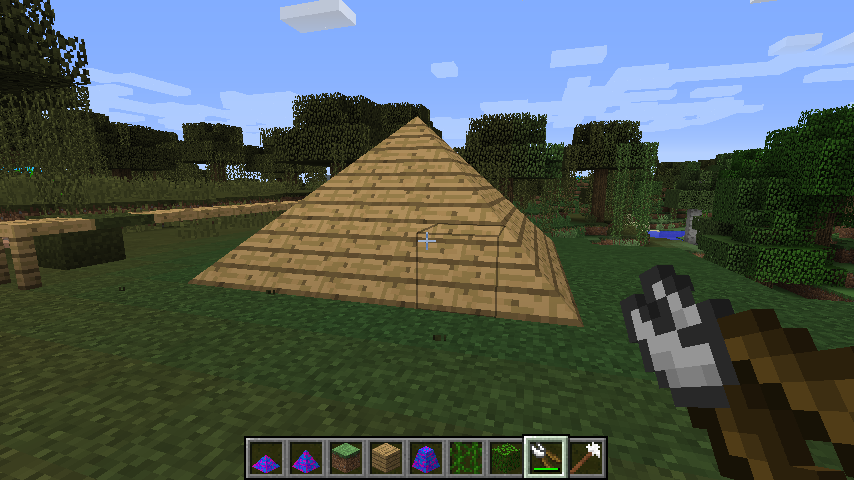
Pyramids
Pyramids only count as half a block. Can be acquired as leaves using the pruners on a large pyramid.

Large Pyramids
Large pyramids can be climbed up but the highest point is in the middle as you would suspect. Can be acquired as leaves using the pruners on a sloped post.

Sloped Posts
Sloped post can not be climbed up. These blocks can also be found as leaves if you use the pruners on any leaf block.

Pillar
Pillars are simple colorizeable blocks that can be placed at all angles and are just a large post.

Pruners
Pruners are used to convert leaf blocks into sloped posts, then large pyramids, and finally pyramids. You can right click on a leaf block to cycle through these modes and shift right click to flip them upside down.


