Sensors
Recipes
Their are 4 different sensors added, Wood, Stone, Iron, and Netherrack. The Wood detects all entities, the Stone detects all living entities, the Iron detects only the player, and the Netherrack detects all hostile entities. A red light will appear if an entity is detected and then it will emit a redstone signal.


GPS
If you need to find the coordinates of a certain point then you can use the GPS. Simply right click on a block and it tells you the coordinates of the point offset by the side of the block you hit. You need a GPS to set the specific sensors.


How to Sense
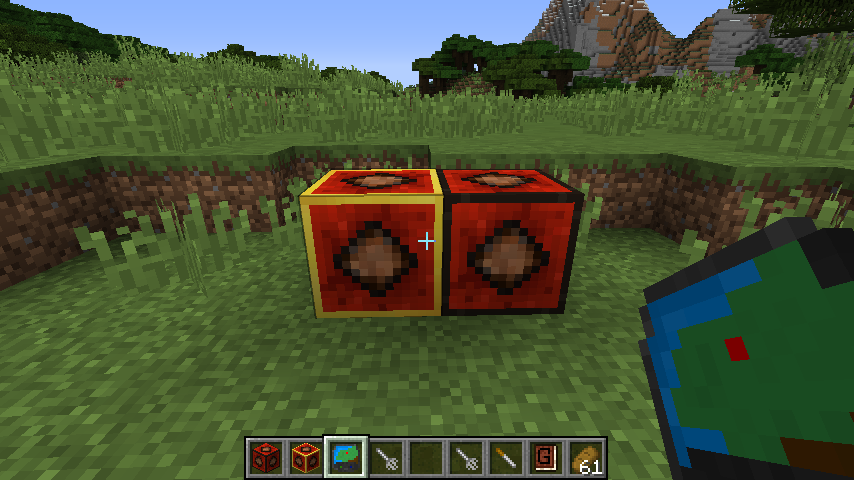
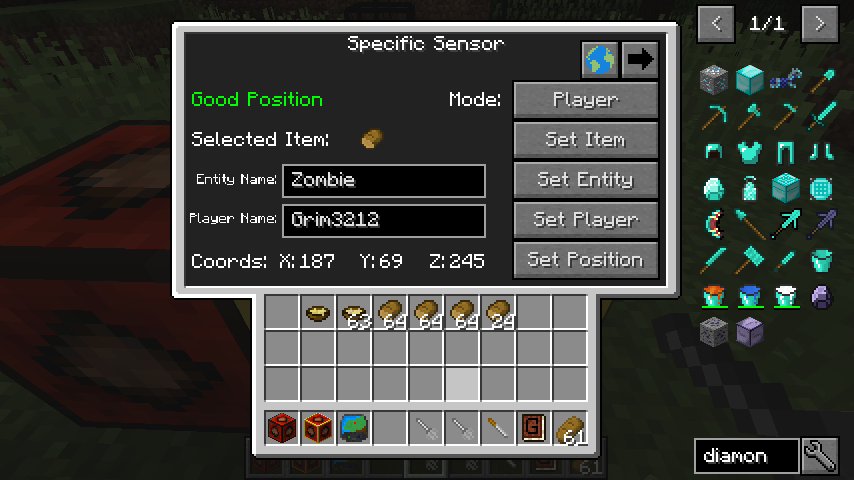
Using specific sensors allows you to detect all types of entities. They have 3 different modes Player, Mob, Item. With player it will detect any player entities or you can set a player name for it to detect.
With Mob it will detect all living entities or you can specify the mob name (ex. Zombie). If the name is red it doesn't exist.
Finally Item mode detects only thrown Items. If you want it to detect only specific items click set item and then click an item in your inventory.
With Mob it will detect all living entities or you can specify the mob name (ex. Zombie). If the name is red it doesn't exist.
Finally Item mode detects only thrown Items. If you want it to detect only specific items click set item and then click an item in your inventory.
How to Sense Part 2
There is just a bit more information for Specific Sensors. To set the position of the sensors you can right click with a GPS that has coordinates or click set position and click on a gps in your inventory. The position you choose cannot be covered by a block and a green message will tell you if it is a good position.
You can give yourself an indicator of the position you have chosen by clicking in the top right corner Show Sensor Box in World.
Finally, for the upgraded specific sensors you can click on more options to change the size of the box. The box has a maximum of 5 and supports fractional values.
You can give yourself an indicator of the position you have chosen by clicking in the top right corner Show Sensor Box in World.
Finally, for the upgraded specific sensors you can click on more options to change the size of the box. The box has a maximum of 5 and supports fractional values.
Specific Sensor
The base specific sensor does not allow for customizing the box it checks for and has a range of 6 blocks away from the sensor.


Upgraded Specific
The Upgraded Specific Sensor is a more powerful version that has a larger range as well as you can customize the size of the box you are sensing.


Arrow Sensor
This block will emit a redstone pulse when it is hit with an arrow. The arrow will then pop off and be able to be picked up.


Fire Sensor
The fire sensor will look below it for fire and if it is detected then it will emit a redstone signal until the fire is put out.

